

Job Walk Pro: A Better Way to Perform Job Walks, Site Surveys, Equipment Surveys, and Asset Condition Reports
A successful construction project, renovation, equipment replacement, or facility upgrade often starts long before anyone begins installing equipment. It starts with understanding what already exists in the field.
For mechanical contractors, HVAC contractors, estimators, engineers, facility managers, consultants, and construction professionals, that usually means conducting a job walk, site survey, existing-conditions survey, equipment survey, or facility assessment.
The challenge is that collecting field information is often still a fragmented process.
Photos are stored on a phone. Equipment information is handwritten on a notepad. Model and serial numbers are recorded separately. Site conditions are buried in emails. Notes are scattered across spreadsheets, PDFs, and project folders. Someone eventually has to organize everything into a professional report.
Job Walk Pro™ was developed to simplify that process.
Job Walk Pro is a cloud-based job walk and site survey application designed to help construction and facility professionals collect equipment information, document existing conditions, organize field photographs, and create structured equipment asset and site survey reports.
Instead of treating a job walk as a collection of unrelated photos and notes, Job Walk Pro provides a structured workflow from the initial field survey through the final report.
What Is a Job Walk or Site Survey?
A job walk is an on-site inspection performed before construction, estimating, engineering, renovation, equipment replacement, or other project work begins.
Depending on the industry and purpose, the same general process may also be called a:
- Construction job walk
- Pre-bid job walk
- Site survey
- Existing conditions survey
- Facility condition assessment
- Building equipment survey
- HVAC equipment survey
- Mechanical equipment survey
- Asset survey
- Equipment inventory
- Site inspection
- Field investigation
- Building assessment
- Equipment condition assessment
- Existing equipment audit
- MEP site survey
Regardless of terminology, the objective is similar: capture accurate information about the existing facility and equipment so that better decisions can be made after leaving the site.
For an HVAC contractor, this might mean surveying rooftop units, air handlers, chillers, boilers, pumps, cooling towers, condensers, VAV boxes, exhaust fans, or other mechanical equipment before preparing an estimate.
And for a engineer, it might involve documenting existing mechanical systems before beginning a renovation design.
For a facility manager, it might mean developing an organized inventory of existing equipment and identifying assets that need maintenance, repair, or replacement.
For an estimator, the site survey may provide critical information necessary to understand project conditions before pricing the work.
Whatever the purpose, the quality of the information collected during the job walk can directly affect everything that happens afterward.
Why Traditional Job Walk Documentation Can Be Difficult
A typical site visit can generate a surprising amount of information.
Imagine surveying a commercial building containing dozens of pieces of HVAC equipment. For every asset, you may need to document information such as:
- Equipment type
- Equipment identification
- Manufacturer
- Model number
- Serial number
- Capacity
- Electrical characteristics
- Refrigerant
- Approximate age
- Equipment condition
- Nameplate information
- Installation conditions
- Access limitations
- Observed deficiencies
- Field notes
- Equipment photographs
- Nameplate photographs
- General condition photographs
Now multiply that by 20, 50, or 100 pieces of equipment.
The problem isn’t simply collecting the information.
The bigger challenge is keeping everything organized.
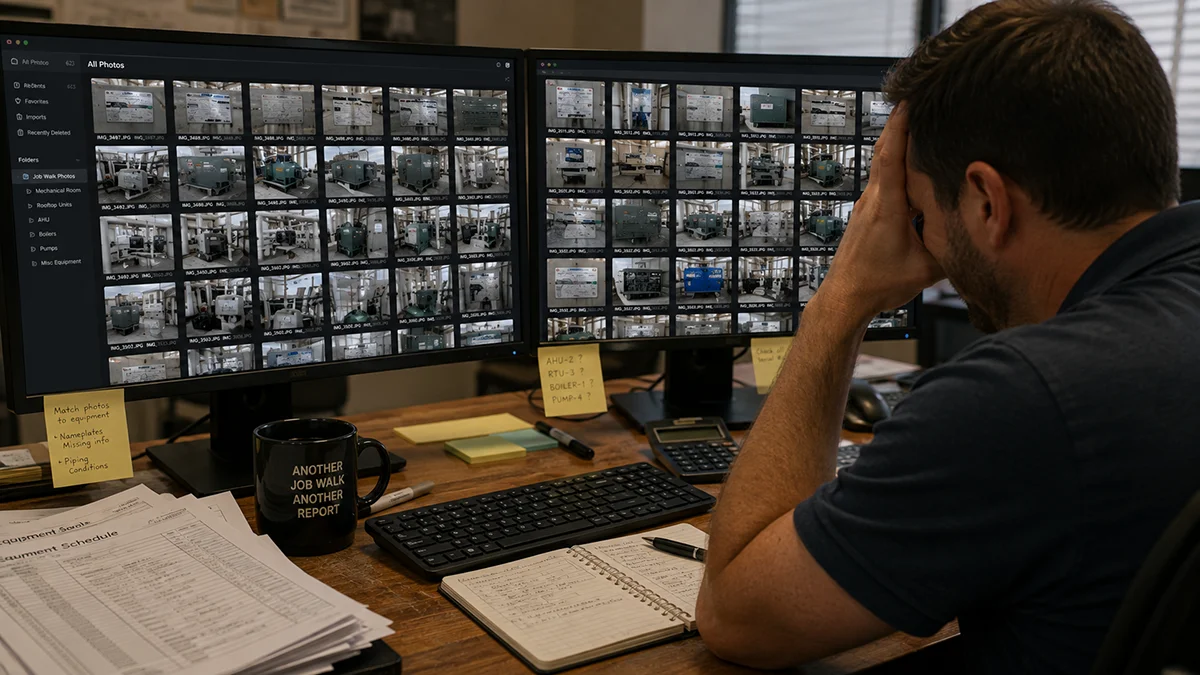
Which photographs belong to which air-handling unit?
Was that model number from RTU-3 or RTU-4?
Did someone photograph the nameplate?
Where were the notes regarding the damaged condenser coil?
Which equipment was inaccessible?
What needs additional investigation?
And after returning to the office, who is responsible for turning all of that field information into something another person can actually understand?
Job Walk Pro was designed around this problem.
Introducing Job Walk Pro™
Job Walk Pro is a job walk, site survey, equipment inspection, and asset reporting application designed specifically for structured field documentation.
The goal is straightforward:
Capture the information once, organize it as you collect it, and turn the field data into a useful professional record.
Rather than returning from a job site with hundreds of disconnected photographs and handwritten notes, Job Walk Pro allows field personnel to build an organized digital project while performing the survey.
Each project becomes a structured record containing the project information, surveyed equipment, field observations, photographs, and reporting data.
That makes the information considerably easier to review once the job walk is complete.
How Job Walk Pro Works
The Job Walk Pro workflow is designed around the way construction professionals actually perform site surveys.
1. Create the Job Walk Project
Start by creating a project for the facility or job site being surveyed.
The project becomes the central location for the information collected during the site investigation.
Rather than mixing photographs and notes from several projects, information remains associated with the correct job.
This provides a structured starting point for a:
- Pre-bid site survey
- HVAC equipment survey
- Mechanical equipment inventory
- Facility condition assessment
- Existing conditions investigation
- Equipment replacement survey
- Engineering field investigation
- Construction job walk
2. Take Job Walk Pro Into the Field
Job Walk Pro includes an Android mobile application, allowing field personnel to collect survey information where the equipment is actually located.
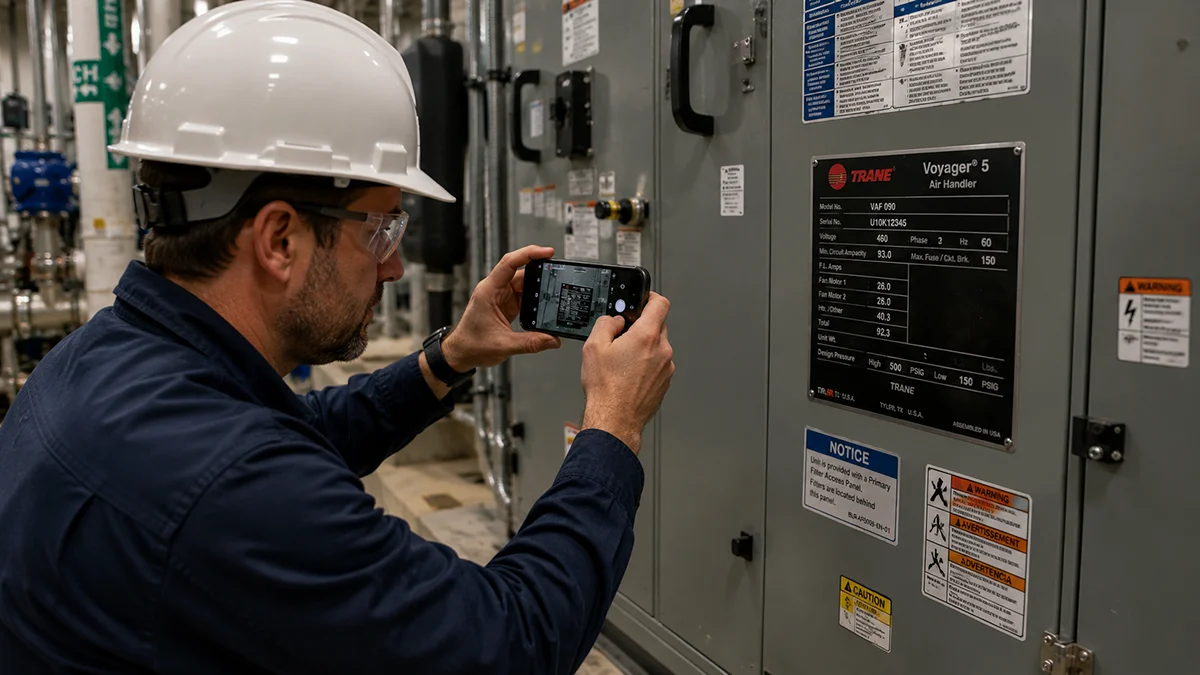
Instead of taking photographs now and trying to identify them later, information can be associated with the equipment being surveyed.
That distinction is important.
A camera roll containing 150 equipment photographs isn’t an equipment survey.
It is simply 150 photographs.
A structured equipment survey connects those photographs to identifiable assets and supporting information.
3. Add Equipment as You Survey the Facility
As equipment is encountered during the job walk, users can create individual equipment records.
For example, an HVAC equipment survey could include:
- Air-cooled chillers
- Water-cooled chillers
- Boilers
- Cooling towers
- Rooftop units
- Air-handling units
- Fan-coil units
- Condensing units
- Split systems
- Heat pumps
- Pumps
- Exhaust fans
- Supply fans
- VAV boxes
- Packaged equipment
- Other mechanical equipment
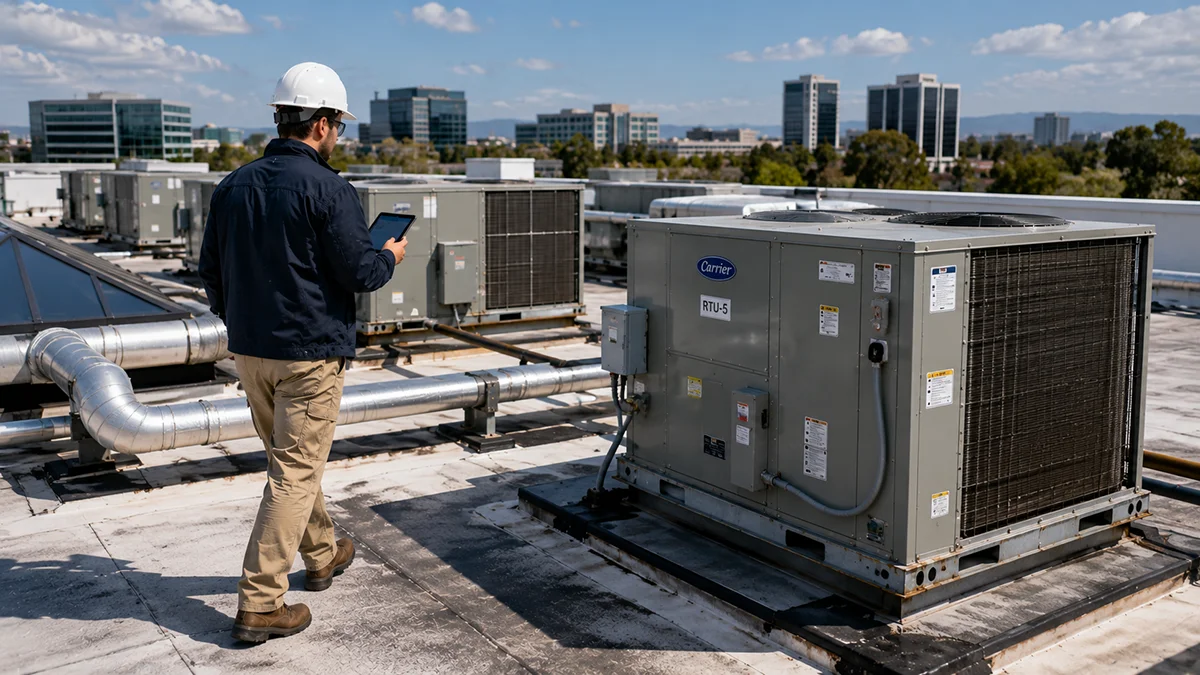
Each piece of equipment becomes its own organized record within the project.
This creates the foundation for an HVAC equipment inventory or mechanical asset database rather than an unstructured collection of field notes.
Capture Equipment Nameplate Information
One of the most important parts of many HVAC and mechanical equipment surveys is documenting the equipment nameplate.
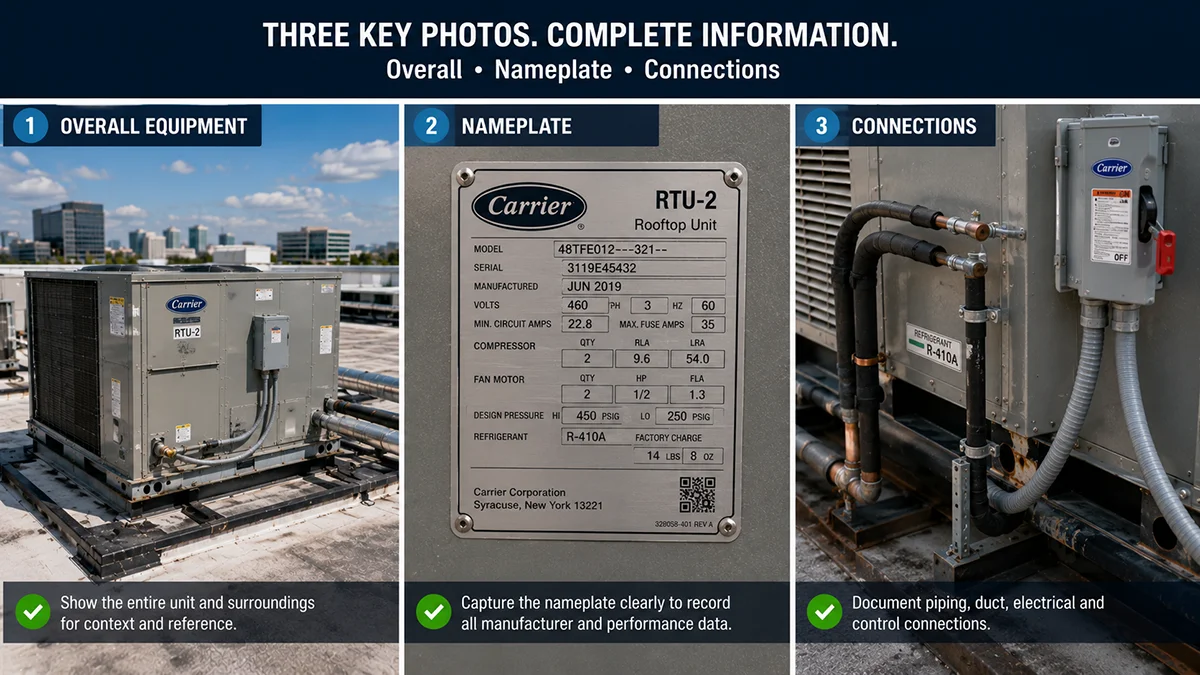
A nameplate can contain critical information such as the:
- Manufacturer
- Model number
- Serial number
- Electrical requirements
- Equipment capacity
- Refrigerant information
- Manufacturing information
- Equipment ratings
Capturing this information accurately is particularly important when evaluating existing equipment for repair or replacement.
A single incorrect digit in a model number can result in researching the wrong equipment.
Job Walk Pro helps keep equipment nameplate photographs and equipment data associated with the corresponding asset, making the information easier to locate and verify later.
Organize Job Site Photographs by Equipment
Photographs are one of the most valuable components of an existing-condition survey.
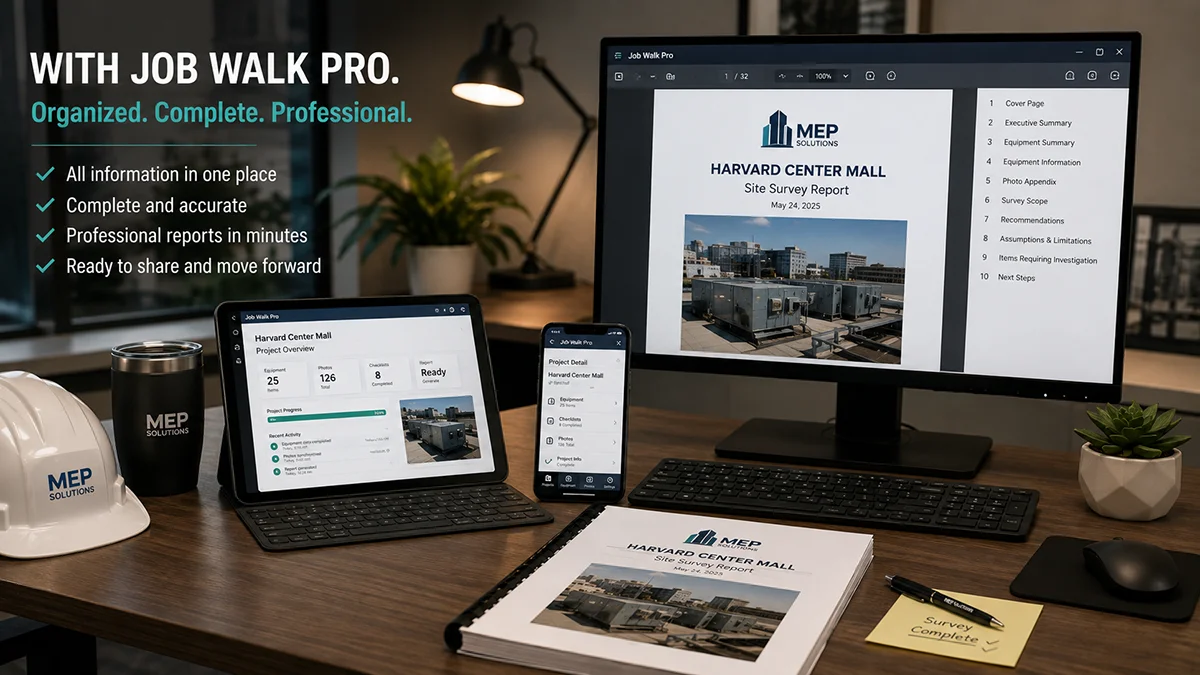
They can document details that weren’t obvious during the original inspection and allow estimators, engineers, project managers, and other team members to review field conditions without returning to the site.
But photographs lose much of their value when nobody knows what they represent.
Job Walk Pro organizes photographs around the equipment record.
That can help distinguish between:
- Overall equipment photographs
- Equipment nameplates
- Installation conditions
- Piping connections
- Ductwork connections
- Electrical connections
- Equipment access
- Damaged components
- Existing deficiencies
- Maintenance conditions
- Items requiring further investigation
This creates a much more useful photographic equipment survey.
Document Existing Equipment Condition
An equipment survey isn’t always about identifying what equipment exists.
Often the more important question is:
What condition is it in?
Job Walk Pro allows surveyed equipment to become part of a structured condition assessment.
Field personnel can document observations that may help identify equipment that appears to be in good condition as well as equipment showing signs of deterioration or requiring additional investigation.
This can be particularly useful for:
- HVAC equipment replacement projects
- Capital improvement planning
- Deferred maintenance assessments
- Mechanical system renovations
- Facility due diligence
- Property condition surveys
- Equipment lifecycle evaluations
- Budget planning
- Existing building renovations
The resulting report becomes more than an inventory—it becomes a record of what was observed during the site visit.
Create Professional Equipment Asset Reports
Collecting information is only half of the job.
Eventually, someone needs to communicate the findings.
Job Walk Pro is designed to transform structured field information into a professional site survey and equipment asset report.
Depending on the information collected, a Job Walk Pro report can organize content such as:
- Project information
- Survey scope
- Executive summary
- Equipment summary
- Individual equipment information
- Equipment photographs
- Condition observations
- Recommendations
- Items requiring further investigation
- Assumptions and limitations
- Photo documentation
- Next steps
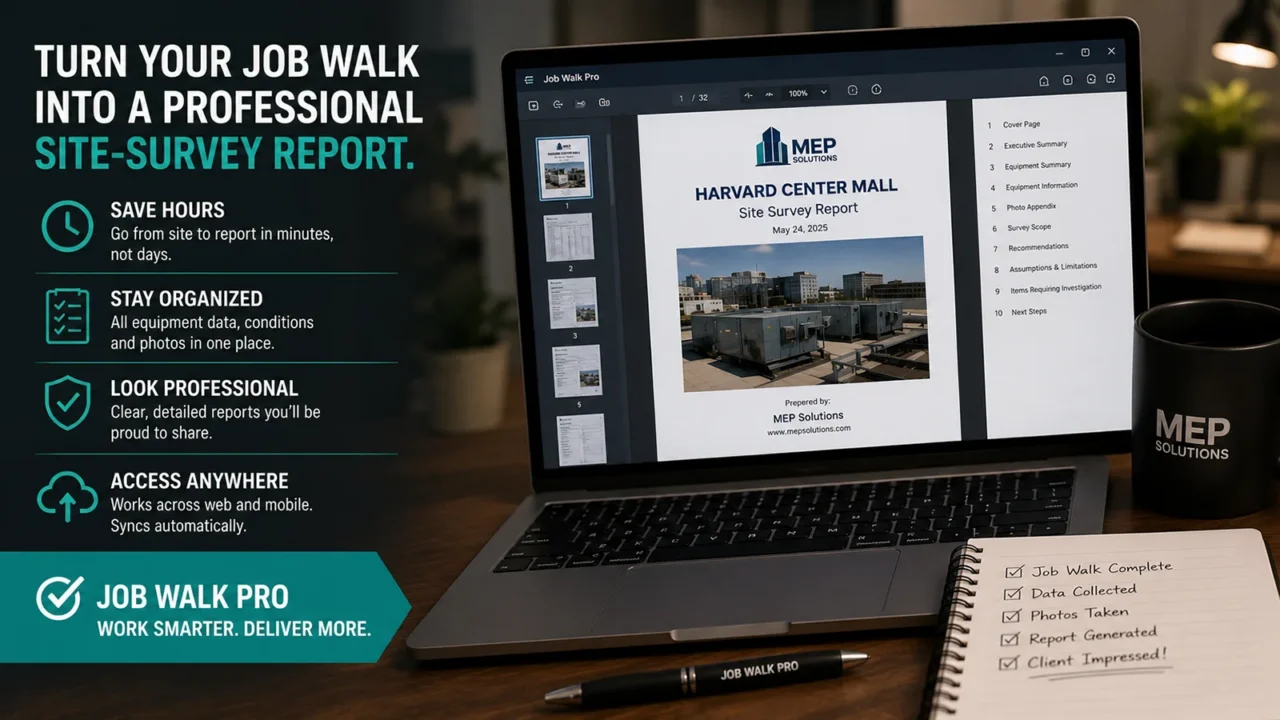
This makes the final deliverable useful to contractors, estimators, engineers, owners, facility personnel, and other project stakeholders.
Who Can Use Job Walk Pro?
Job Walk Pro isn’t limited to one job title.
It was designed around a workflow used throughout construction, engineering, estimating, and facility management.
HVAC and Mechanical Contractors
Mechanical contractors frequently need to document existing HVAC equipment before preparing replacement or renovation proposals.
Job Walk Pro can help organize surveys involving chillers, boilers, cooling towers, rooftop units, air handlers, pumps, and other mechanical equipment.
Instead of returning to the office with disconnected field information, contractors can maintain an organized record of what was observed.
Construction Estimators
Estimators frequently attend pre-bid job walks and construction site walks to identify conditions that could affect the estimate.
Photographs and field notes can provide critical information about:
- Equipment access
- Existing installations
- Demolition requirements
- Site logistics
- Equipment conditions
- Existing utilities
- Installation constraints
- Potential scope gaps
A structured job walk record can make it easier to reference those conditions while preparing the estimate.
Engineers and Consultants
Engineers often perform existing-condition investigations before beginning design.
Job Walk Pro can provide a structured method for recording existing equipment and field observations that can later be referenced during engineering and design.
Facility Managers
Facility managers can use equipment surveys to develop or improve facility asset records.
An organized equipment inventory can help provide visibility into:
- What equipment exists
- Where equipment is located
- Equipment identification
- Equipment condition
- Available nameplate information
- Equipment photographs
- Assets requiring further evaluation
Building Owners and Property Managers
Owners and property managers may need equipment information when evaluating properties, planning capital improvements, preparing budgets, or assessing existing facility conditions.
A structured equipment condition report provides a more useful reference than an unorganized folder containing hundreds of photographs.
Job Walk Pro for HVAC Equipment Surveys
HVAC surveys are an especially strong use case because mechanical systems contain large quantities of equipment-specific information.
Consider a typical commercial HVAC survey.
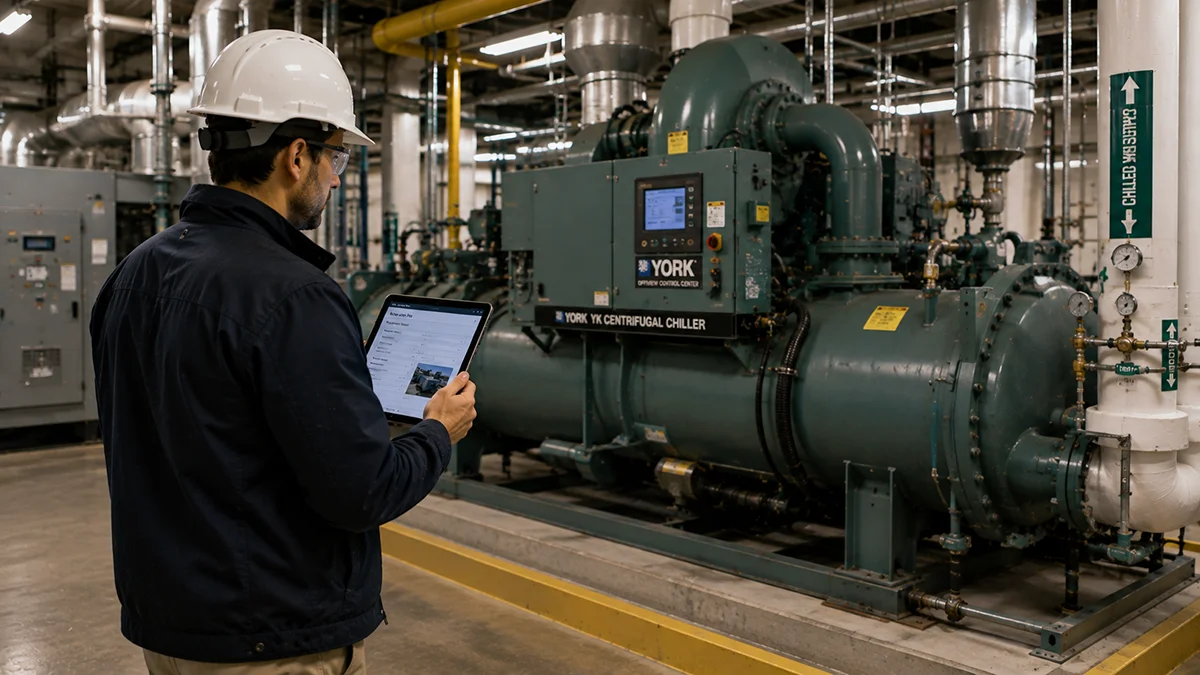
The field technician or estimator may need to document:
Chillers
Manufacturer, model, serial number, tonnage, refrigerant, electrical information, condition, photographs, and installation observations.
Boilers
Manufacturer, model, serial number, heating capacity, fuel type, condition, venting configuration, piping arrangement, and photographs.
Rooftop Units
Manufacturer, model, serial number, cooling capacity, heating information, electrical characteristics, condition, curb arrangement, access, and photographs.
Air-Handling Units
Manufacturer, model, airflow, coil information, fan arrangement, filters, motors, access, condition, and photographs.
Cooling Towers
Manufacturer, model, capacity, fan information, basin condition, structural condition, piping connections, and photographs.
A large facility can contain dozens or hundreds of assets.
That is precisely where a structured HVAC site survey application becomes valuable.
Better Information Can Lead to Better Estimates
Job walks can have a direct impact on construction estimating.
Conditions discovered during a pre-bid site visit can affect:
- Labor requirements
- Equipment rigging
- Demolition
- Temporary services
- Equipment access
- Crane requirements
- Material handling
- Shutdown requirements
- Existing utility modifications
- Installation sequencing
- Schedule
- Subcontractor requirements
- Project risk
Missing one significant condition during the job walk can potentially affect the accuracy of an estimate.
A structured site survey process doesn’t eliminate estimating risk, but it can help create a more complete record of the conditions observed.
That information can then be reviewed while preparing the estimate.
Reduce the “What Photo Was That?” Problem
Anyone who has performed enough construction job walks has probably experienced this.
You return to the office with 200 photographs.
A week later you open the folder.
IMG_4381.
IMG_4382.
IMG_4383.
IMG_4384.
You remember that one photograph showed an important condition—but you don’t remember which equipment it belonged to.
Now you’re scrolling through the entire camera roll trying to reconstruct the job walk.
Structured data collection helps solve this problem by associating information with the relevant equipment while the survey is being performed.
The difference may seem small in the field.
It can be enormous three weeks later when someone needs the information.
Build a Repeatable Site Survey Process
One of the biggest advantages of digital job walk software is consistency.
Without a standard workflow, two employees can survey the same type of facility and return with completely different information.
One person may photograph every nameplate.
Another may forget half of them.
One estimator may document equipment access.
Another may focus exclusively on equipment capacity.
A structured survey process encourages users to approach field documentation systematically.
That is particularly valuable for companies with multiple:
- Estimators
- Project managers
- Engineers
- Technicians
- Survey personnel
- Field employees
The objective isn’t simply to digitize a clipboard.
It is to create a repeatable job walk process.
From Site Survey to Long-Term Equipment Record
Field survey information can remain valuable long after the initial job walk.
A structured equipment survey can become a reference for:
- Future equipment replacement
- Renovation planning
- Capital budgeting
- Maintenance discussions
- Engineering evaluations
- Estimating
- Scope development
- Facility assessments
- Equipment lifecycle planning
- Future site investigations
Instead of disappearing into someone’s camera roll or project folder, the information becomes part of an organized project record.
Why Use Job Walk Software Instead of a Spreadsheet?
Spreadsheets remain extremely useful construction tools, but equipment surveys often involve information that doesn’t fit naturally into rows and columns.
A single equipment record may include data fields, checklists, observations, multiple photographs, nameplate images, condition information, and narrative comments.
A dedicated job walk application provides a workflow designed around the survey itself.
Spreadsheets can still play an important role in estimating and data analysis.
Job Walk Pro focuses on a different problem:
collecting and organizing field survey information at the source.
Why Use Job Walk Pro Instead of Just Taking Photos?
A smartphone camera is excellent for capturing images.
It isn’t an equipment asset management system.
The distinction becomes obvious as the number of assets increases.
Ten photographs may be easy to remember.
Two hundred photographs from 40 pieces of equipment are not.
Job Walk Pro adds structure around those photographs by connecting them with equipment and project information.
That structure is what turns field photographs into usable documentation.
Job Walk Pro Is Built for Real Construction Workflows
Job Walk Pro was created with construction and MEP workflows in mind.
The application focuses on practical tasks that occur during actual site investigations:
Go to the site.
Identify the equipment.
Document the nameplate.
Record the information.
Photograph the existing conditions.
Record observations.
Organize the findings.
Create the report.
The objective is not to make the job walk more complicated.
It is to reduce the administrative work that happens afterward.
Common Uses for Job Walk Pro
Job Walk Pro can support a wide variety of field documentation workflows, including:
- HVAC job walks
- Mechanical job walks
- Construction job walks
- Pre-bid site walks
- Existing conditions surveys
- HVAC equipment inventories
- Mechanical equipment inventories
- Facility equipment surveys
- Building equipment surveys
- Equipment condition assessments
- Facility condition assessments
- Equipment replacement surveys
- Engineering field investigations
- Capital improvement surveys
- Property equipment assessments
- Renovation surveys
- Asset condition reporting
- Equipment documentation
- Nameplate data collection
- Photographic site surveys
- MEP existing-condition surveys
- Commercial building surveys
A Useful Tool Before HVAC Equipment Replacement
Equipment replacement projects are one area where detailed field information is especially important.
Replacing a chiller, boiler, rooftop unit, or air handler requires more than knowing the equipment capacity.
The contractor or engineer may also need to understand:
- Existing piping
- Existing ductwork
- Electrical requirements
- Controls
- Equipment dimensions
- Access conditions
- Rigging requirements
- Structural considerations
- Demolition requirements
- Equipment clearances
- Service access
- Existing deficiencies
The original survey becomes an important foundation for developing the replacement scope.
A well-documented job walk can also identify questions requiring additional investigation before they become construction problems.
Site Survey Reports Can Improve Communication
One of the less obvious benefits of organized site survey documentation is improved communication.
Not everyone involved in a project attends the original job walk.
The estimator may visit the facility, while a project executive later reviews the estimate.
An engineer may perform the initial survey while another engineer develops part of the design.
A facility manager may conduct the equipment inventory while ownership reviews the capital budget.
A structured report helps communicate what the person in the field actually observed.
Photographs provide visual context.
Equipment records provide technical information.
Narrative observations explain significant conditions.
Together they create a more complete picture of the facility.
Create Better Records Before Leaving the Job Site
The best time to organize site survey information isn’t three days after the survey.
It is while the information is being collected.
At that moment, the person performing the survey still knows:
- Which equipment they’re looking at
- Where it is located
- What the photograph represents
- Why a condition is important
- What additional information may be required
Once the team leaves the facility, some of that context begins disappearing.
Job Walk Pro is designed around capturing that context while it is still available.
Job Walk Pro for the Modern Construction Professional
Construction technology continues moving toward digital workflows, cloud-based project information, and mobile field data collection.
Yet many job walks are still documented essentially the same way they were decades ago—except the digital camera has been replaced by a smartphone.
The opportunity isn’t merely to replace paper with a screen.
The opportunity is to improve the entire workflow.
A modern job walk software platform should help users:
- Create the project.
- Collect field information.
- Organize equipment.
- Capture equipment photographs.
- Document nameplates.
- Record existing conditions.
- Identify deficiencies.
- Review collected information.
- Generate structured reports.
- Preserve the information for future reference.
That is the workflow Job Walk Pro was built to support.
Stop Reconstructing the Job Walk Back at the Office
A site survey should produce usable information—not another administrative project.
If your current workflow involves returning to the office and spending hours sorting photographs, deciphering notes, identifying equipment, renaming files, and assembling reports, there is a better approach.
Job Walk Pro helps contractors, estimators, engineers, consultants, and facility professionals turn field observations into organized equipment records and professional site survey documentation.
Whether you’re conducting an HVAC equipment survey, construction pre-bid job walk, mechanical equipment inventory, existing-condition assessment, facility survey, or equipment replacement investigation, Job Walk Pro provides a structured workflow for capturing what matters.
Because the purpose of a job walk isn’t simply to visit the site.
The purpose is to bring the information back with you.
Start Your Next Job Walk with Job Walk Pro
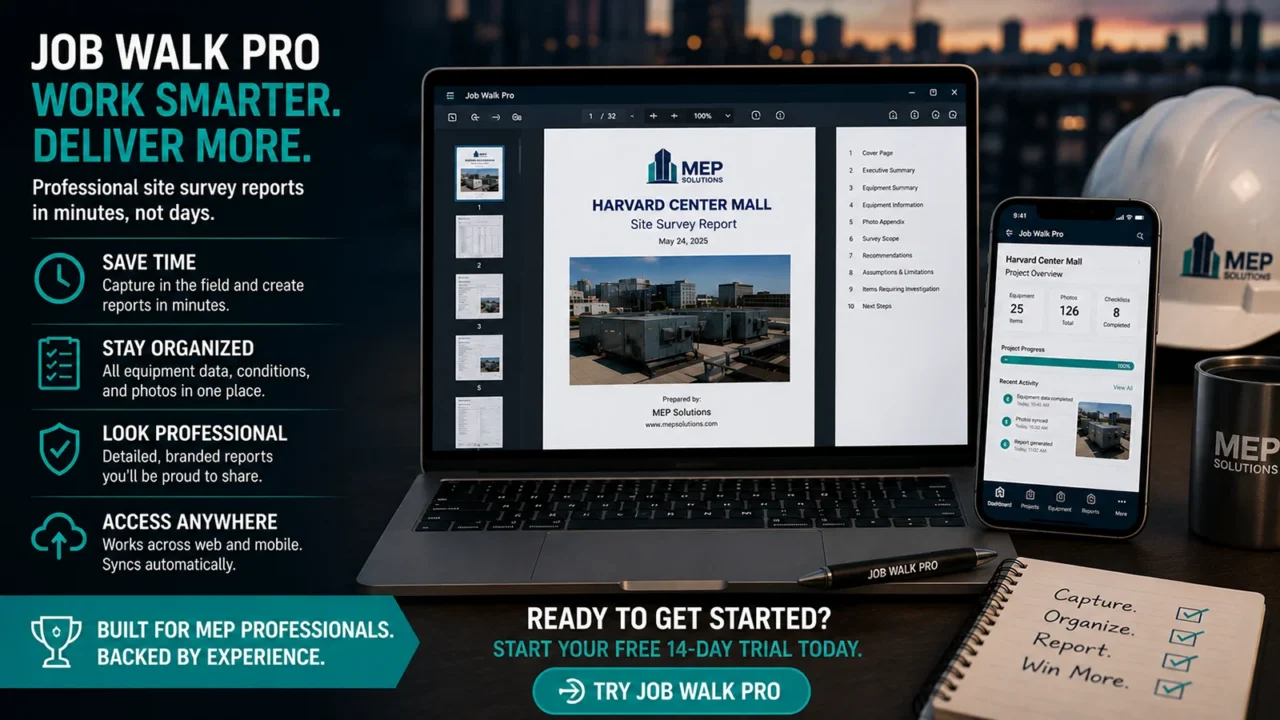
Job Walk Pro combines mobile field data collection, equipment documentation, site photography, existing-condition observations, equipment asset records, and professional reporting into one organized workflow.
For HVAC contractors, mechanical contractors, construction estimators, engineers, consultants, facility managers, property managers, and other professionals responsible for documenting existing conditions, Job Walk Pro provides a better way to conduct and document a site survey.
Document the equipment. Capture the conditions. Organize the photos. Build the report.
Job Walk Pro™
Professional job walk and site survey software for construction, HVAC, MEP, engineering, and facility professionals.
View a Sample Equipment Survey Report
Frequently Asked Questions About Job Walks and Site Survey Software
Job walk software is a digital tool used to collect and organize information during a construction site visit, pre-bid walkthrough, facility inspection, or existing-condition survey. Depending on the application, it may be used to record field notes, equipment information, photographs, deficiencies, and other project data.
Site survey software helps contractors, engineers, estimators, and facility professionals document conditions observed at a physical location. For equipment-oriented surveys, the software can help associate photographs, nameplate information, observations, and condition information with individual assets.
An HVAC equipment survey is an inspection and documentation process used to identify existing heating, ventilation, and air-conditioning equipment. A survey may include equipment type, manufacturer, model number, serial number, capacity, condition, photographs, nameplate data, and observations about the existing installation.
The exact requirements depend on the project, but an HVAC job walk may include equipment identification, nameplate information, equipment condition, access, piping, ductwork, electrical connections, controls, demolition requirements, installation constraints, photographs, and items requiring further investigation.
An equipment asset report provides organized information about equipment located within a building or facility. It may contain an equipment inventory, technical data, photographs, condition observations, recommendations, and other information collected during the facility survey.
An existing conditions survey documents the physical conditions present at a project site before design, estimating, renovation, or construction begins. The survey can help project teams understand existing equipment, utilities, installation conditions, access limitations, and other factors that could affect the proposed work.
Yes. Job Walk Pro can be used to organize photographs, equipment information, and field observations collected during pre-bid site visits. This provides estimators with a structured record they can reference when developing the estimate.
Yes. Equipment replacement surveys are a strong application for Job Walk Pro because contractors and engineers often need equipment identification, nameplate information, photographs, existing conditions, and other field information before developing a replacement scope.
Job Walk Pro is designed for professionals who conduct or rely upon field surveys, including HVAC and mechanical contractors, estimators, engineers, consultants, facility managers, property managers, construction professionals, and others responsible for documenting existing building conditions.
Yes. Job Walk Pro includes an Android mobile application for collecting information in the field, while the web-based platform supports the broader project and reporting workflow.